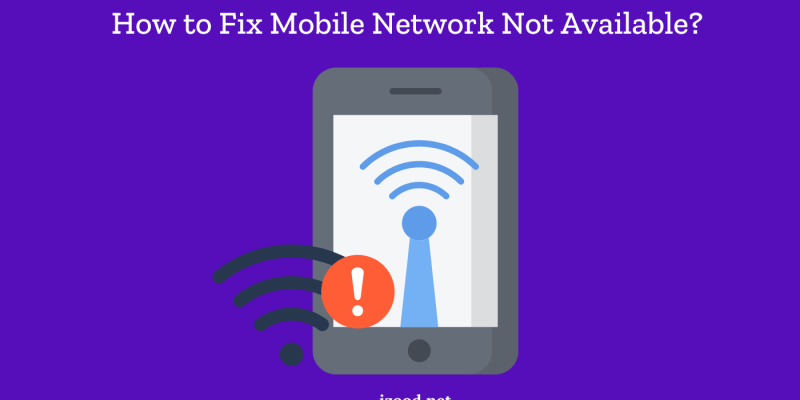
In the digital age, where connectivity is quintessential, encountering the dreaded message “Mobile Network Not Available” can evoke a pang of anxiety. This alert disrupts the seamless interaction that we often take for granted, leaving us adrift in an ocean of uncertainty regarding our mobile network capabilities. Understanding what this message means is vital, not just to alleviate frustration, but also to empower ourselves with the knowledge necessary to troubleshoot the issue.
At its essence, “Mobile Network Not Available” signifies that your device is unable to establish a connection with the network provider. This can occur for various reasons and may manifest not only as an inconvenience but also as a perplexing situation, especially during critical times. In dissecting the underlying causes, we unveil the multifaceted nature of mobile connectivity, prompting a deeper understanding of our reliance on these networks.
Common Causes of Network Issues
There are several factors that could trigger the “Mobile Network Not Available” message. Each cause offers insight into the broader interconnectivity that binds our devices to service providers.
- SIM Card Issues: One of the most frequent culprits behind this error message is a malfunctioning SIM card. Problems such as improper installation, physical damage, or even a faulty SIM card due to wear and tear can impede connectivity. Ensure that the SIM card is correctly seated in its tray and is free from any visible damage.
- Network Outages: Occasionally, the issue may lie beyond your device and may pertain to temporary service outages from the carrier. These outages can stem from maintenance work, natural disasters, or other unforeseen circumstances affecting network infrastructure. Often, carriers will provide updates regarding such outages.
- Software Glitches: The marvellous symbiosis between hardware and software can sometimes backfire. System updates or software bugs can lead to connectivity issues. Regularly updating your device’s operating system can alleviate these complications, enhancing both performance and stability.
- Airplane Mode Activation: An inadvertent but common mistake involves the activation of Airplane Mode. This feature disables all wireless communications. A quick glance at the settings menu can resolve this issue with a simple toggle.
- Network Settings Misconfigurations: Settings concerning your mobile network may be reset, either accidentally or during a device update. Misconfigurations can lead to complications in connecting to the appropriate network. Bringing awareness to these settings is paramount.
- Device Compatibility: It’s worth noting that certain mobile devices may have incompatibility issues with specific networks, especially if you’ve recently switched carriers or are utilizing international roaming services.
Troubleshooting Steps to Resolve the Issue
Armed with an understanding of potential causes, it’s crucial to implement a series of troubleshooting steps to rectify the “Mobile Network Not Available” predicament. The following methods range from simple to advanced:
- Restart Your Device: Sometimes, all that is required is a quick restart. This action can refresh the device and re-establish network connections, oftentimes clearing temporary glitches.
- Check Your SIM Card: Remove the SIM card and examine it for physical damage. If intact, reinsert it carefully, ensuring it is perfectly aligned. If issues persist, consider trying a different SIM card to determine if the original is faulty.
- Toggle Airplane Mode: A brief activation followed by deactivation can renew the network connection. This method is a quick fix that can often yield satisfying results.
- Reset Network Settings: For a more profound solution, navigate to your device’s settings and opt for resetting the network settings. This action often removes any misconfigurations but may require you to re-enter Wi-Fi passwords afterward.
- Update Your Device: Keeping mobile software up to date is critical in ensuring optimal performance and compatibility with network standards. Regularly check for system updates in your settings.
- Contact Your Carrier: If all else fails, don’t hesitate to reach out to your mobile service provider. They can provide crucial insights regarding network outages or issues specific to your account and may offer additional solutions.
Preventive Measures for Future Connectivity
After resolving connectivity issues, it’s paramount to adopt preventive measures to minimize the risk of encountering similar problems in the future. Here are some strategic approaches:
- Regular Maintenance: Periodic checks on your device’s software and hardware can preemptively identify potential issues. Keep an eye on the SIM card and device performance.
- Understanding Your Network: Familiarize yourself with your mobile provider’s coverage areas, especially if you travel frequently. Knowing where service is more reliable can save you time and frustration.
- Keep Backup Options: If your work or personal tasks rely heavily on mobile connectivity, consider having backup solutions such as mobile hotspots or alternative phones available. This precaution can mitigate adverse effects during outages.
Ultimately, understanding the nuances of the “Mobile Network Not Available” message empowers users to navigate technology with greater confidence. By employing the aforementioned troubleshooting methods and preventive strategies, individuals can remain connected and enhance their overall mobile experience. As we delve deeper into the realms of connectivity, it becomes evident that addressing this issue is not merely about resolving a technical glitch but also about embracing a more connected existence in our increasingly digitized world.