In the realm of modern printing, the term “spooling” surfaces frequently, yet its implications remain largely elusive to many users. It is more than just a technical jargon; it is a concept that encapsulates the intricate interplay of digital processes that facilitate smooth and efficient printing. To fully appreciate the significance of spooling in printers, one must unravel the complexities of printing workflows, the role of spooling, and how it revolutionizes our approach to document creation and management.
So, what does it mean when a printer is spooling? To answer that question, one must first delve into the fundamental mechanics of how printers operate. When you command a printer to produce a hard copy of a document, several steps ensue. The printer must receive this document, process it, and collaborate with its internal components to deliver the final output to paper.
However, this seemingly straightforward process is layered with intricacies. Enter the spooling mechanism, an ingenious solution designed to optimize this workflow. The term “spool” originates from the combination of “Simultaneous Peripheral Operations OnLine.” By definition, spooling is the process of temporarily placing data into a buffer, a designated area on your computer’s hard drive or memory, before it is sent to the printer.
Imagine a bustling city street with cars racing to reach their destinations. Spooling acts as a traffic control system; it organizes and manages the flow of print jobs, ensuring that each duty is executed in the correct sequence. When multiple print commands are issued, spooling allows the system to queue these tasks, scheduling them appropriately and avoiding the chaos that would ensue if each command were handled individually.
As print requests are generated, they are dispatched to the spooler software, which stands as a vital intermediary between the computer and the printer. This software accepts the print job and stores it in a queue, where it awaits its turn to be processed. By managing this queue, spooling alleviates the workload of both the user and the printer, ensuring a seamless experience.
Now that we’ve identified the mechanics, it’s crucial to examine the benefits spooling offers. Primarily, this technique enhances efficiency. Users can continue working on their systems without having to halt their activities while the printer catches up. Whether it’s multiple users sending print jobs through a networked printer or a single user queuing up an extensive project, spooling ensures that printing does not disrupt productivity.
Moreover, spooling caters to the nuances of modern printing systems, particularly in terms of file types and formatting. Different documents may require unique rendering processes, and spooling accommodates this variation by temporarily holding print jobs in their original format. This flexibility means that even if the printer isn’t immediately ready to process complex graphics or documents, the data remains intact, poised for a swift conversion into a tangible form.
In addition to efficiency and flexibility, spooling mitigates potential errors. When a printer receives a massive influx of jobs, there’s a higher probability of mistakes, such as misprints or device overload. With spooling, each job is meticulously organized and presented to the printer in the correct order, reducing the chance of collisions or errors within the printing sequence. The risk of equipment malfunction due to overwhelming demand is minimized, fostering a more reliable printing environment.
While spooling undeniably provides a host of advantages, it is essential to acknowledge its limitations. For instance, when dealing with larger files or graphic-heavy documents, the spooling process may experience bottlenecks. If a print job is exceedingly large, the time taken to spool and process the document could be significantly prolonged. Users may occasionally find themselves waiting longer than expected for their prints to commence, leading to frustration.
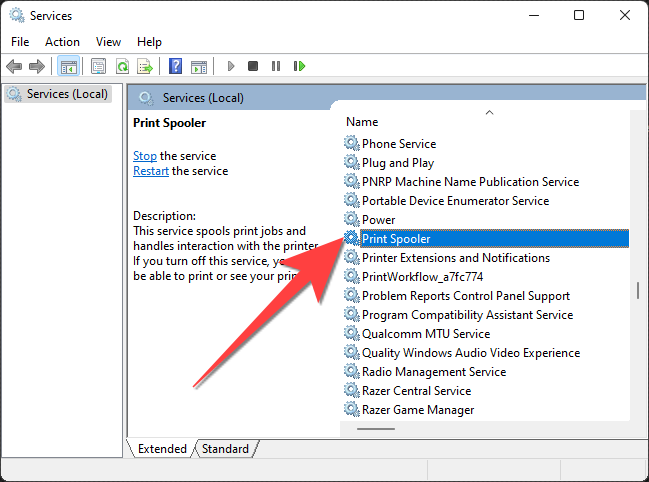
Additionally, if the spooler service encounters a glitch or becomes corrupted, it can halt the entire printing process. Users could find themselves facing an unresponsive system, prompting the need for troubleshooting or even device restart. Understanding these limitations can prepare users to handle any potential setbacks that may arise within the spooling framework.
Another critical aspect to consider is the role of networking in a spooled printer environment. In today’s interconnected world, printers are often equipped for network usage, allowing multiple devices to send print commands simultaneously. Spooling plays an indispensable role in this context too. Each device shares the spooler’s resources, contributing to the collaborative nature of modern offices. Yet, this complexity necessitates robust network management and reliable system maintenance to ensure that spooling continues to operate efficiently across all users.
As technology evolves, spooling itself is also undergoing transformations. The rise of cloud printing—a service that permits remote printing from any location—introduces new dimensions to traditional spooling. As documents are sent to printers over the internet, spooling must adapt, creating a hybrid model that marries local and remote processing. Furthermore, advancements in artificial intelligence and automation may streamline spooling processes even further, promising enhanced efficiency and reliability for users.
In conclusion, understanding spooling is vital for anyone who operates a printer, whether in a home office or a bustling corporate environment. It encapsulates an essential component of the printing process, seamlessly coordinating the myriad tasks required to transform digital files into physical documents. By illuminating this often-overlooked aspect of printing, users can appreciate the complexities of technology and its role in fostering productivity. Armed with this knowledge, embracing its potential becomes not just advantageous, but essential in navigating the future of printing.